WhatsApp has evolved far beyond just a platform for chit-chat with friends. With over 2 billion active users worldwide, it’s one of the most popular messaging apps on the planet. For businesses, it’s a goldmine for engaging with customers where they already spend their time.
But with so many inquiries pouring in daily, how do you ensure your business responds promptly? The answer lies in WhatsApp chatbots. These automated tools can handle a variety of tasks efficiently, from resolving customer queries to driving sales. If you’re ready to build one for your business, this step-by-step guide will show you how.
Why Your Business Needs a WhatsApp Chatbot
Before we break down the process of creating a WhatsApp chatbot, it’s worth understanding why you need one. Here are some compelling reasons:
- 24/7 Availability: While your team rests, your chatbot can handle inquiries and provide instant responses any time of the day.
- Cost Efficiency: Automating repetitive tasks means fewer resources spent on hiring extra support staff.
- Personalized Customer Experience: Chatbots can be programmed to greet customers by name, recall preferences, and even offer tailored suggestions.
- Scalability: Whether you’re serving 10 or 10,000 customers, chatbots scale effortlessly, ensuring everyone gets a response.
- Streamlined Communication: Manage all queries in one place and avoid missed messages or delays.
Now that you know the benefits, let’s move on to how you can create your WhatsApp chatbot.
Step-by-Step Guide to Creating a WhatsApp Chatbot
Step 1. Understand Business Requirements
Start by asking yourself what you want your chatbot to achieve. Are you aiming to:
- Answer frequently asked questions (FAQs)?
- Collect leads and customer information?
- Provide real-time order tracking updates?
- Promote new products or services?
Having a clear objective will help you design a bot tailored to your needs.
For example:
- A retail company might use their chatbot to inform customers about inventory availability.
- A food delivery business might program it to offer updates on order status.
Step 2. Sign Up for WhatsApp Business API
Unlike the regular WhatsApp app, chatbots run on the WhatsApp Business API, which is designed specifically for companies. It allows large-scale automation, such as sending templated messages or initiating conversations.
To get started:
- Apply for WhatsApp Business API access through providers like Twilio, Zendesk, or Vonage.
- Create a verified Facebook Business Manager account (WhatsApp and Facebook are integrated).
- Once approved, connect your number and API to your chatbot.
Step 3. Choose a Chatbot Builder or Platform
You don’t need a Ph.D. in programming to create a WhatsApp chatbot, thanks to no-code platforms. These are tools designed to help non-developers create functional bots in minutes. Some great platforms include:
- ChatGPT (customizable AI-driven messaging)
- Botsify (easy integration for customer support)
- HubSpot (CRM capabilities for lead generation)
- Twilio Studio (flexible and developer-friendly)
Compare their pricing and features to find what aligns best with your business needs.
Step 4. Create Your Chatbot’s Flow and Scripts
This is the most critical step of your chatbot development process. Your bot needs to be intuitive and human-like to keep customers engaged. Here’s how:
Start with a Friendly Greeting
Example script:
“Hi [Customer’s Name]! 👋 Welcome to [Your Business Name]. How can I assist you today? (1) Track my order (2) Browse products (3) Speak to a representative.”
Map Common Questions
Anticipate FAQ-like queries such as:
- “What are your business hours?”
- “Do you deliver to my location?”
- “What’s the price of X?”
Plan Response Logic
For each possible customer query or action, decide the appropriate response. Use decision trees to map the chatbot’s flow and keep responses straightforward.
Add Personality and Consistency
Tone matters! Whether your brand voice is professional, friendly, or quirky, keep it consistent in your chatbot’s language.
Step 5. Test Your Chatbot
Before launching your chatbot to the world, you need to test it. Testing ensures:
- Correct responses to questions.
- Smooth navigation through the chatbot flow.
- All links and buttons work as intended.
Ask a small group of employees or loyal customers to interact with your chatbot. Gather feedback on performance, tone, and usability. Debug any problems before a full-scale launch.
Step 6. Launch and Monitor Performance
Once you’re confident in your chatbot’s quality, it’s time to go live! Promote your WhatsApp chatbot on your website, Instagram bio, email signature, or QR codes in-store.
Monitoring is key to ongoing success. Use analytics to track:
- Message open rates.
- Common inquiries or drop-off points.
- Customer satisfaction ratings.
These insights will help you refine your chatbot for an optimized user experience.
WhatsApp Chatbot for Customer Support Automation
A WhatsApp chatbot can completely transform customer support by automating repetitive queries and providing instant assistance. Instead of waiting hours for a reply, customers receive real-time answers to FAQs, order status, return policies, and more. This not only improves customer satisfaction but also reduces workload on support teams. Businesses can configure chatbots to escalate complex issues to human agents, ensuring a smooth hybrid support system. With 24/7 availability, a WhatsApp chatbot ensures your brand stays responsive at all times, even outside business hours, leading to stronger trust and long-term customer loyalty.
Lead Generation Using WhatsApp Chatbot
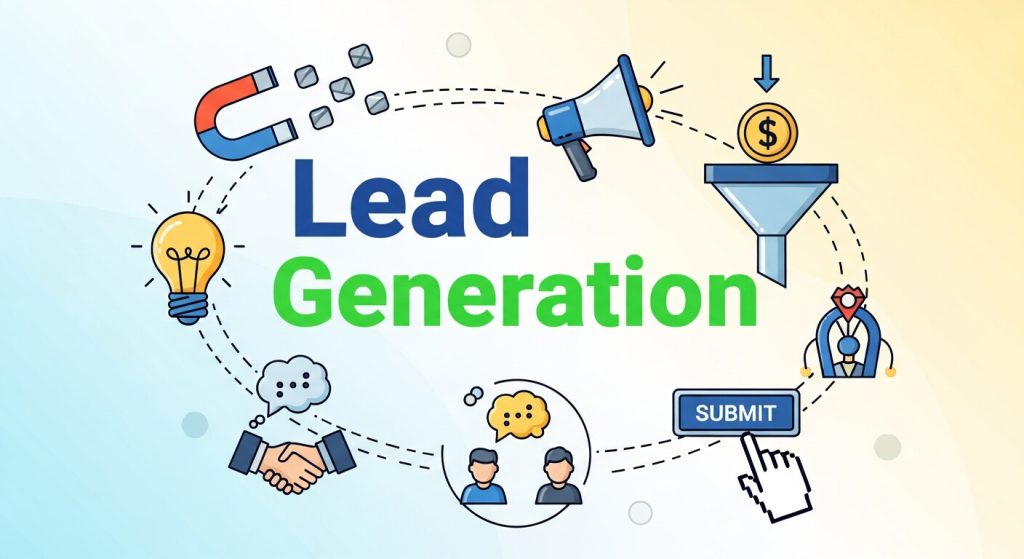
A WhatsApp chatbot is a powerful tool for capturing and qualifying leads automatically. By asking smart, conversational questions, chatbots can collect names, contact details, preferences, and purchase intent in a natural way. Businesses can segment leads instantly based on responses and sync them with CRM systems for follow-ups. Since WhatsApp has high open and response rates, leads gathered through a chatbot are often more engaged compared to email forms. This makes WhatsApp chatbot–driven lead generation faster, more efficient, and highly conversion-focused.
WhatsApp Chatbot for Sales and Conversions
Using a WhatsApp chatbot for sales allows businesses to guide users through the buying journey seamlessly. From product discovery to answering pricing questions and sharing payment links, chatbots act like virtual sales assistants. They can recommend products based on user behavior, send personalized offers, and even recover abandoned carts. Because conversations happen in a familiar messaging environment, customers feel more comfortable completing purchases. A well-designed WhatsApp chatbot can significantly increase conversion rates while reducing manual sales effort.
Personalization Through WhatsApp Chatbot
Personalization is one of the biggest advantages of using a WhatsApp chatbot. By leveraging user data and interaction history, chatbots can deliver tailored messages, product suggestions, and reminders. Greeting users by name, remembering past purchases, or sending relevant updates creates a human-like experience. This level of personalization makes customers feel valued rather than marketed to. Over time, a personalized WhatsApp chatbot helps build stronger relationships, improves engagement, and increases repeat interactions with your brand.
WhatsApp Chatbot for Marketing Campaigns

A WhatsApp chatbot can play a central role in running targeted marketing campaigns. Businesses can use chatbots to broadcast updates, launch new products, share discounts, and promote events—while still maintaining two-way interaction. Unlike traditional ads, chatbot marketing feels conversational and less intrusive. Automated campaigns can be triggered based on user actions, such as sign-ups or previous purchases. With high message open rates, WhatsApp chatbot marketing ensures your campaigns reach the right audience at the right time.
Improving Customer Retention with WhatsApp Chatbot
Retaining customers is often more cost-effective than acquiring new ones, and a WhatsApp chatbot helps achieve exactly that. Chatbots can send renewal reminders, personalized offers, loyalty rewards, and helpful tips to keep users engaged. By maintaining consistent communication without overwhelming users, businesses stay top-of-mind. Automated follow-ups after purchases or service interactions also show care and professionalism. A well-optimized WhatsApp chatbot strengthens customer relationships and significantly improves retention rates over time.
WhatsApp Chatbot Analytics and Performance Tracking
Tracking performance is essential for optimizing a WhatsApp chatbot. Analytics help businesses understand user behavior, common questions, drop-off points, and response effectiveness. Metrics like response time, engagement rate, and customer satisfaction provide valuable insights. By analyzing this data, businesses can refine chatbot flows, improve messaging, and identify opportunities for automation. Continuous optimization ensures the WhatsApp chatbot delivers better results while aligning with business goals and customer expectations.
WhatsApp Chatbot for Appointment Booking and Scheduling
A WhatsApp chatbot simplifies appointment booking by allowing users to schedule, reschedule, or cancel appointments instantly. This is especially useful for healthcare providers, salons, consultants, and service-based businesses. Chatbots can display available slots, confirm bookings, and send automated reminders to reduce no-shows. Customers appreciate the convenience of booking without calls or emails. By automating scheduling, a WhatsApp chatbot saves time for both customers and staff while improving overall operational efficiency.
Security and Privacy in WhatsApp Chatbot Communication
Security is a key concern when using automated messaging tools, and WhatsApp chatbot communication benefits from end-to-end encryption. This ensures that messages exchanged between businesses and users remain private and secure. Additionally, businesses can implement consent-based messaging and comply with data protection regulations. By being transparent about data usage, a WhatsApp chatbot builds trust and credibility. Secure communication reassures users, making them more comfortable sharing information and engaging with your brand.
Bonus Tips for Success with WhatsApp Chatbots
Looking to level up? Here are some pro tips to ensure your bot stands out:
- Integrate Payment Options
Enable customers to make payments directly via WhatsApp (available in select regions).
- Leverage Multimedia
Visuals speak louder than words. Use GIFs, images, or videos to make communication engaging.
- Encourage Feedback
Ask users to rate their chatbot experience or provide suggestions for improvement. Play this feedback into future updates.
- Promote Subscriber Features
Offer exclusive deals or tips to encourage customers to stay connected to your WhatsApp chatbot.
Why Chatbots Are the Future of Business Communication
Building a WhatsApp chatbot is not just about following a trend. It’s about improving your business’s efficiency, providing standout customer experiences, and fostering lasting relationships.
By utilizing tools like the WhatsApp Business API and pairing it with a no-code platform, you can create a smart solution that works 24/7 to meet your customers’ needs.
The best part? You don’t need to be a developer to make it happen. Follow this guide, and you’ll be engaging customers like never before—with a fraction of the manual effort.
Frequently Asked Questions (FAQ)
1. What is a WhatsApp chatbot?
A WhatsApp chatbot is an automated messaging tool that uses the WhatsApp Business API to respond to customer queries, provide information, collect leads, and perform tasks without human intervention.
2. Do I need technical skills to build a WhatsApp chatbot?
No. Many no-code and low-code platforms allow businesses to create WhatsApp chatbots using drag-and-drop interfaces, prebuilt templates, and simple workflows without programming knowledge.
3. Is the WhatsApp Business API free?
The API itself is free, but WhatsApp charges per conversation, and most providers (like Twilio or Zendesk) have additional usage or subscription fees.
4. Can a WhatsApp chatbot handle customer support?
Yes. A chatbot can handle FAQs, order tracking, appointment booking, and basic troubleshooting, while complex queries can be escalated to human agents.
5. Is WhatsApp chatbot messaging secure?
Yes. WhatsApp uses end-to-end encryption, ensuring messages between your business and customers remain private and secure.
6. How can I measure chatbot performance?
You can track metrics like response time, message open rates, user drop-offs, resolution rates, and customer satisfaction to continuously optimize your chatbot.