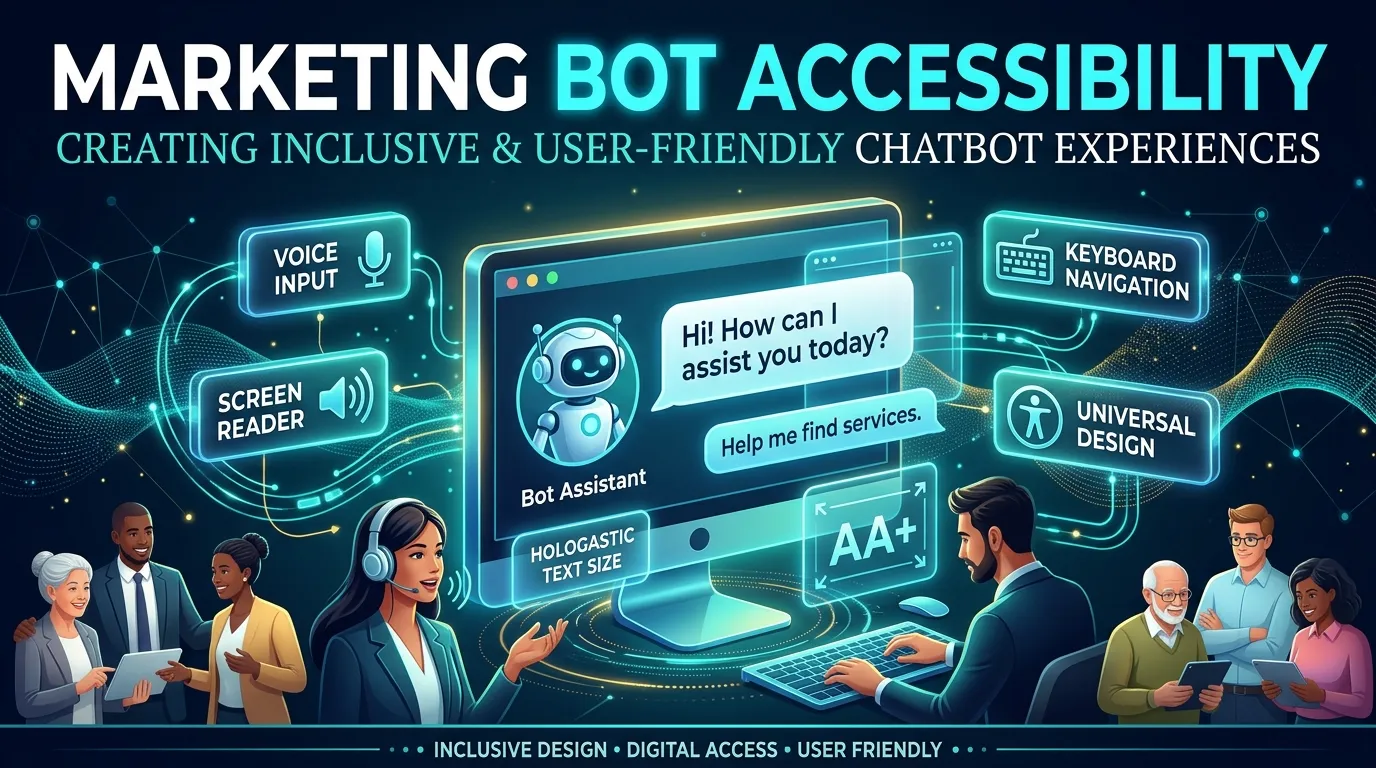
Marketing bots have become an important part of how businesses communicate with website visitors, answer customer questions, recommend products, and generate leads. They provide immediate assistance and help companies maintain conversations beyond traditional business hours. However, as these tools become more common, one important consideration deserves greater attention: whether everyone can use them comfortably.
Marketing Bot Accessibility is about making chatbot experiences available and understandable to people with different abilities, devices, and interaction preferences. A chatbot may offer impressive automation, but if a visitor cannot navigate its interface using a keyboard, understand its messages through a screen reader, or read its content clearly, that technology creates an unnecessary barrier.
Accessibility is not simply a technical improvement. It influences how people experience a brand, how confidently they interact with its services, and whether they can complete important actions without assistance. Businesses that treat accessibility as part of their marketing strategy can create more welcoming digital experiences while improving the usability of their automated communication channels.
Why Marketing Bot Accessibility Matters More Than Ever
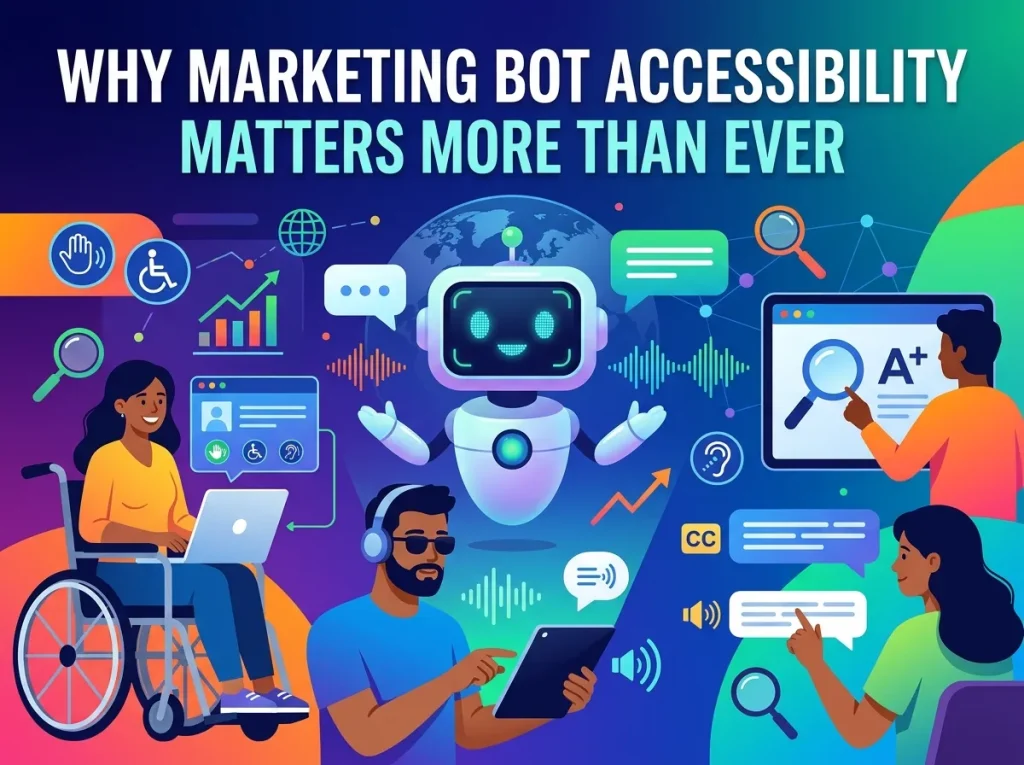
A marketing chatbot is often one of the first interactive elements visitors encounter on a business website. Someone might use it to ask about pricing, understand a service, request product information, or connect with a sales representative. If the chatbot is difficult to operate, that first interaction can quickly become frustrating.
Consider a visitor who relies on keyboard navigation instead of a mouse. If the chatbot’s input field cannot receive keyboard focus, the visitor may be unable to send a message. Similarly, a person using a screen reader may not know when a new response appears if the chatbot does not communicate updates properly.
These problems affect more than a small part of the website. They can prevent people from accessing information that is essential to making purchasing decisions.
Marketing Chatbot Accessibility helps remove these barriers by making conversations easier to access, understand, and complete. It considers how different people interact with digital interfaces rather than assuming every visitor uses a website in the same way.
Accessibility also supports a more consistent brand experience. Businesses invest considerable effort in making their websites visually appealing and their marketing messages engaging. The chatbot should reflect the same level of care. A polished website experience loses its value when its primary communication tool is difficult for some visitors to use.
The Difference Between a Functional Bot and an Inclusive Experience
A chatbot can technically work without being accessible. It may open correctly, display messages, collect information, and connect visitors with customer support. Yet successful operation does not necessarily mean that every visitor can use it.
An inclusive chatbot considers the complete interaction, from opening the widget to finishing a conversation. Its buttons should be understandable, its messages should be readable, and its navigation should remain predictable.
This distinction is central to Inclusive Chatbot Design. Instead of building a bot around a single expected user journey, developers consider different ways people perceive information and interact with technology.
For example, a chatbot might use small icons to represent its primary actions. Although these icons may look familiar to some visitors, they can be confusing when they have no accessible labels. Replacing unclear icons with descriptive text or adding meaningful accessible names makes the interface easier to understand.
The same principle applies to conversation flows. A visitor should not have to guess what a button does or remember complicated instructions to continue. Clear prompts, recognizable controls, and straightforward navigation help reduce unnecessary effort.
An inclusive experience also avoids treating accessibility as an optional feature that can be added after development. It becomes part of the original design process, influencing interface decisions, content structure, and testing requirements.
How Accessibility Standards Shape Better Chatbot Interfaces
Digital accessibility standards provide a useful foundation for developing more inclusive marketing tools. The Web Content Accessibility Guidelines (WCAG) offer internationally recognized recommendations for making digital content more accessible.
Their principles are commonly described through four concepts: perceivable, operable, understandable, and robust.
For chatbot developers, these principles have practical implications. Information should be available in ways users can perceive. Controls should be operable through different input methods. Conversations should use understandable language and predictable interactions. Finally, the interface should work reliably with assistive technologies.
Following Website Bot Accessibility Standards means looking beyond whether the chatbot appears correctly on a desktop screen. Developers also need to consider keyboard interaction, text alternatives, color contrast, responsive layouts, and compatibility with assistive software.
WCAG 2.2 is a useful reference for evaluating many of these requirements. However, businesses should select the appropriate conformance target based on their legal obligations, audience, and product requirements. Meeting a technical standard is an important step, but it does not replace testing with people who have different accessibility needs.
Accessibility is most effective when standards inform practical decisions rather than becoming a document that teams consult only before launching a website.
Screen Readers and the Importance of Meaningful Conversations
Screen readers allow people with visual impairments to access digital information through speech or other output methods. For chatbot interfaces, this creates specific requirements because conversations change continuously as users send messages and receive responses.
A visitor using a screen reader should be able to identify the chatbot’s controls, understand the conversation order, and recognize when a new response becomes available. If these elements are not communicated properly, the visitor may miss important information or struggle to continue.
Screen Reader Compatible Chatbots use semantic structure and accessible interface information to support these interactions. Input fields should have meaningful labels, buttons should communicate their purpose, and conversation messages should be presented in a logical order.
Dynamic updates require particular attention. When a bot sends a response, the interface should make the new information available to assistive technology without unexpectedly moving the visitor away from their current task. Appropriate live-region behavior can help communicate these updates.
It is also important to provide clear feedback when a visitor submits a message or encounters an error. A screen reader user should not have to guess whether the chatbot received their input.
These details may appear small during development, but they have a significant influence on whether a conversation feels natural or unnecessarily complicated.
Accessibility in Conversational Marketing Goes Beyond Visual Design
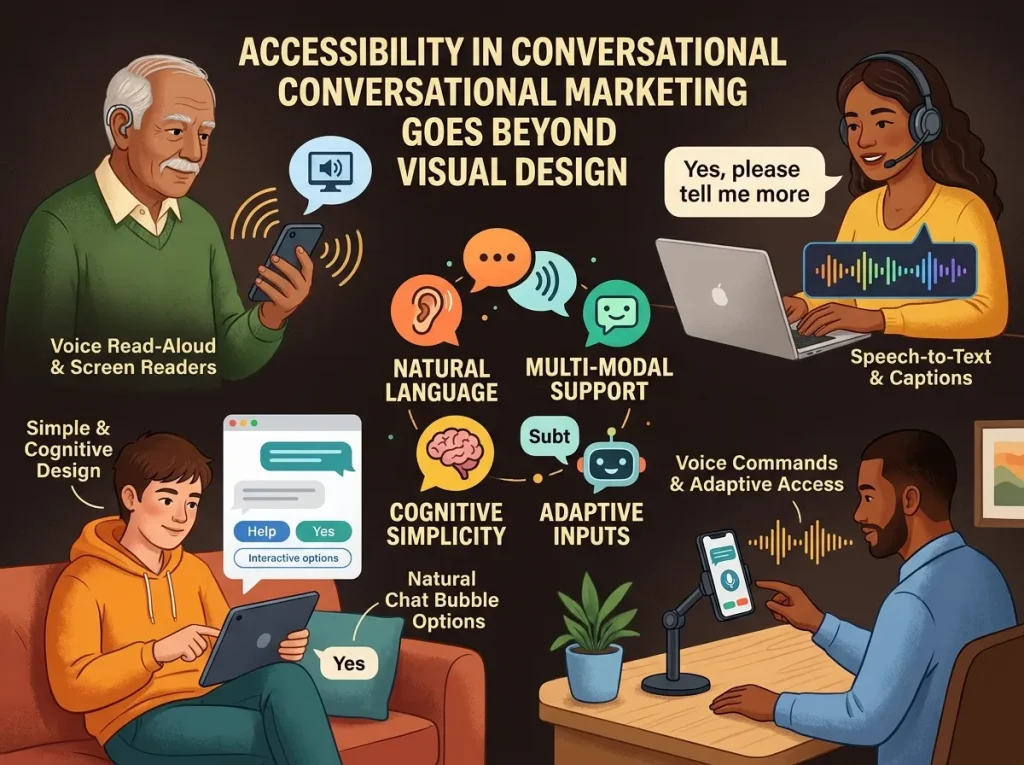
Marketing teams often focus on conversational tone, message timing, personalization, and engagement. These elements matter, but the way information is communicated can be just as important as the message itself.
Accessibility in Conversational Marketing requires businesses to consider language complexity, message length, interaction speed, and the availability of alternative ways to complete an action.
A chatbot that sends several long messages at once may overwhelm visitors who have difficulty processing large amounts of information. A bot that relies heavily on abbreviations or technical language can also make conversations harder to understand.
Clear communication creates a better experience for a wider audience. Short sentences, descriptive prompts, and familiar terminology help visitors understand what the chatbot is asking and what will happen next.
Conversation timing deserves similar consideration. Some bots automatically close after a short period of inactivity. Although this may help manage resources, it can create difficulties for people who need additional time to read, interpret, or respond to information.
Allowing users to continue a conversation without unnecessary time pressure makes the experience more flexible. When a session must expire for security or operational reasons, the chatbot should communicate that clearly and explain how the visitor can resume the interaction.
Accessible AI Chatbot Interfaces and the Role of Automation
Artificial intelligence has made marketing bots more flexible. Modern systems can interpret questions, generate responses, recommend information, and guide visitors through complex conversations. However, intelligent responses do not automatically create accessible interfaces.
Accessible AI Chatbot Interfaces need to combine the capabilities of conversational AI with thoughtful interaction design.
For instance, an AI-powered bot might generate a detailed answer to a visitor’s question. While the response could be accurate, a lengthy block of text may be difficult to navigate. Organizing the information into shorter sections, using descriptive headings where appropriate, and offering a concise explanation can make the response easier to understand.
AI systems should also avoid relying exclusively on visual elements to communicate important information. If a bot recommends a product using an image, the relevant information should also be available through text.
Another concern is unpredictable conversation behavior. AI chatbots may interpret similar questions differently or provide responses with varying levels of detail. Clear interface controls and the ability to request clarification can help visitors maintain confidence when a conversation becomes confusing.
Businesses developing automated systems should evaluate accessibility across the complete experience, including the chatbot interface, generated responses, connected forms, and any external pages users are directed to.
Automation should make communication easier, not introduce additional obstacles.
Making Marketing Automation Tools More Inclusive
Chatbots rarely operate independently. They often connect with CRM platforms, marketing automation software, customer databases, lead qualification systems, and support applications.
This means accessibility needs to extend beyond the visible chatbot window.
Accessible Marketing Automation Tools should support inclusive experiences throughout the entire customer journey. If a chatbot collects information and transfers a visitor to an inaccessible form, the overall process remains incomplete.
For example, a visitor might answer several questions before being asked to provide contact details. If the next form contains unlabeled fields or inaccessible validation messages, the visitor may be unable to finish the process.
The same issue can occur when automated systems send follow-up emails containing poorly structured content or direct people to pages that are difficult to navigate.
Businesses can strengthen these experiences by evaluating every connected step. Lead forms should use descriptive labels, error messages should explain how to correct problems, and confirmation messages should communicate whether a request has been submitted successfully.
This approach is particularly important for organizations using bots to collect and qualify leads. An effective Bot Qualification process depends on visitors being able to understand the questions and provide information without unnecessary difficulty.
Accessibility therefore becomes part of marketing operations rather than a responsibility limited to website designers.
Usability Is the Foundation of User-Friendly Marketing Bots
A chatbot does not become accessible simply because it includes keyboard support or readable text. The complete experience must also be practical and easy to understand.
User-Friendly Marketing Bots make common tasks straightforward. Visitors should be able to recognize where to begin, understand available options, correct mistakes, and reach a useful outcome without navigating unnecessary steps.
One way to improve usability is to reduce the number of decisions users must make. A chatbot that presents too many options at once can create confusion. Grouping related choices and offering a clear next step makes conversations easier to follow.
It is also helpful to provide a way to return to earlier choices or restart a conversation. Visitors may select the wrong option or change their minds after receiving additional information. Flexible navigation prevents these situations from becoming dead ends.
The chatbot’s placement and appearance matter as well. It should not cover essential website content, interfere with navigation, or become difficult to locate on smaller screens. Its controls should remain usable across different screen sizes and zoom settings.
Marketing teams can evaluate these improvements by observing where visitors abandon conversations, which questions generate repeated confusion, and whether users successfully complete the intended actions.
Usability and accessibility often reinforce one another. A clearer chatbot benefits people using assistive technology while also making everyday interactions more efficient for other visitors.
Why Accessibility Should Influence Lead Generation
Lead generation is often measured through conversation starts, form submissions, qualified prospects, and conversion rates. However, these measurements do not always reveal whether visitors can access the process in the first place.
A chatbot might generate fewer completed forms because its interface is difficult to use, not because visitors lack interest in the business.
Accessible experiences help reduce this unnecessary friction. When visitors can understand questions, operate controls, and review information comfortably, they have a better opportunity to complete the conversation.
This is especially relevant to businesses that use automated qualification systems. A well-designed chatbot can collect details about customer requirements, identify relevant interests, and direct potential prospects toward suitable services. But the process should not exclude visitors because of the way they interact with digital technology.
Businesses can connect accessibility improvements with broader lead-generation strategies. For example, they can review how chatbot questions are structured, whether visitors can skip nonessential questions, and whether alternative contact methods are available.
Companies exploring Bots for Lead Generation can benefit from treating accessibility as part of the conversion experience rather than an unrelated technical requirement.
The goal is not simply to collect more information. It is to create a fair and understandable process through which interested visitors can communicate their needs.
Machine Learning, Personalization, and Accessibility Considerations
Machine learning allows marketing bots to adapt conversations based on user behavior, previous interactions, and contextual information. These capabilities can improve relevance, but personalization needs to be implemented carefully.
For example, a chatbot may recommend shorter explanations when a visitor repeatedly requests clarification. It may also recognize common questions and present relevant information more directly. When designed thoughtfully, these features can reduce the effort required to find answers.
However, personalization should not make accessibility dependent on assumptions about a visitor. A bot should not attempt to determine someone’s disability based on limited behavioral signals or automatically remove interaction options because it predicts they are unnecessary.
Businesses using Machine Learning for Business should consider how automated decisions influence the availability of information and services.
The objective should be to offer flexibility without restricting user choice. Visitors should remain able to adjust their interaction preferences, request human assistance, and access information through alternative methods.
This balance helps businesses use intelligent automation while maintaining transparency and user control.
Keeping Chatbot Content Accessible as It Changes
One frequently overlooked part of accessibility is content maintenance. A chatbot may be accessible when first launched, but its experience can become less consistent as businesses update offers, add new responses, change conversation flows, or introduce AI-generated content.
For this reason, accessibility should be considered an ongoing responsibility.
Marketing teams regularly update chatbot messages to reflect product changes, seasonal campaigns, customer questions, and new business priorities. Each update can introduce problems if the content is not reviewed for clarity and usability.
For example, a new promotional response might use an image without a text alternative. A revised conversation flow could introduce buttons with unclear labels. An updated automated answer might contain unnecessarily complex language.
Effective AI Chatbot Content Updates should therefore include accessibility considerations alongside accuracy, relevance, and brand consistency.
Content teams can establish a review process for new responses and regularly examine conversations that generate confusion. Testing actual chatbot interactions is particularly useful because accessibility problems are not always visible when reviewing isolated messages.
This approach helps maintain a consistent experience as marketing automation becomes more sophisticated.
Measuring Accessibility Without Losing Sight of Real Users

Accessibility improvements need meaningful evaluation. Automated tools can identify several common issues, such as missing labels, insufficient color contrast, and certain structural problems. However, automated testing cannot determine whether every conversation is understandable or whether a real visitor can complete a task comfortably.
A stronger evaluation combines technical testing with practical user feedback.
Businesses can examine whether all chatbot functions work through keyboard navigation, whether screen readers communicate messages correctly, and whether the interface remains usable at different zoom levels. They can also test conversations on mobile devices and with different assistive technologies.
Most importantly, people with disabilities should be included in usability research whenever possible. Their experiences can reveal barriers that development teams may overlook.
Marketing analytics can provide additional insight. Unusual abandonment patterns, repeated requests for clarification, and unsuccessful form submissions may indicate that a chatbot experience needs improvement. These signals should be investigated rather than automatically interpreted as a lack of customer interest.
Accessibility measurement should ultimately answer a simple question: can people with different needs use the chatbot to accomplish the same meaningful tasks?
Building More Inclusive Digital Marketing Experiences
The future of automated marketing will involve more conversational interfaces, personalized recommendations, and AI-powered customer interactions. As these technologies become more integrated into business websites, accessibility will play an increasingly important role in determining their practical value.
Businesses that invest in inclusive design can create communication experiences that are easier to navigate, more understandable, and more welcoming. They can also reduce avoidable barriers in lead generation, customer support, and automated sales processes.
Marketing Bot Accessibility should not be treated as a final technical adjustment or a feature reserved for a particular audience. It is part of delivering a reliable digital experience to everyone who wants to interact with a brand.
The most effective marketing bots are not simply intelligent or efficient. They make communication possible without requiring every visitor to interact in exactly the same way. By combining accessibility standards, thoughtful conversation design, assistive technology compatibility, and ongoing testing, businesses can make their automated marketing experiences more inclusive and useful.
Frequently Asked Questions
1. What is Marketing Bot Accessibility?
Marketing Bot Accessibility refers to designing and developing marketing chatbots so people with different abilities can interact with them. It includes keyboard navigation, screen reader compatibility, readable content, clear controls, and accessible conversation flows.
2. Why is chatbot accessibility important for businesses?
Accessible chatbots help more visitors access information, communicate with businesses, and complete important actions. They also reduce usability barriers and support a more consistent customer experience.
3. What are the main accessibility features of a marketing chatbot?
Important features include keyboard-operable controls, visible focus indicators, descriptive labels, sufficient color contrast, screen reader support, understandable messages, and flexible response timing.
4. How do screen readers interact with chatbots?
Screen readers interpret interface elements and communicate text through speech or other output methods. Accessible chatbots use meaningful labels, logical content order, and appropriate announcements for new messages and interface updates.
5. What accessibility standards should chatbot developers follow?
WCAG provides widely recognized guidance for accessible digital content. Businesses should consider the relevant WCAG version and conformance level when evaluating chatbot interfaces and connected website experiences.
6. Can AI-powered chatbots be accessible?
Yes. AI-powered chatbots can support accessibility through clear responses, readable content, accessible controls, and flexible interaction options. However, AI capabilities alone do not guarantee an accessible interface.
7. How does accessibility improve chatbot lead generation?
Accessibility makes it easier for visitors to understand questions, enter information, and complete qualification processes. This can reduce avoidable friction and help interested prospects engage with a business.
8. How often should businesses test chatbot accessibility?
Businesses should test accessibility before launch and whenever they make significant changes to chatbot interfaces, conversation flows, connected forms, or automated content. Regular reviews help identify problems introduced by updates.
9. Are automated accessibility testing tools enough?
No. Automated tools can identify certain technical issues, but they cannot evaluate every aspect of a real conversation. Keyboard testing, assistive technology testing, and feedback from people with disabilities are also important.
10. What is the difference between chatbot usability and accessibility?
Usability focuses on how easily people can use a chatbot to complete tasks. Accessibility ensures that people with different abilities can access and operate it. Both work together to create a more effective and inclusive experience.